Getting started
NoTrack Coder is a local desktop AI agent. It runs on your machine, connects to any model you point it at, and acts — it runs shell commands, edits files, browses the web, generates images, and routes work to other models — instead of only giving advice.
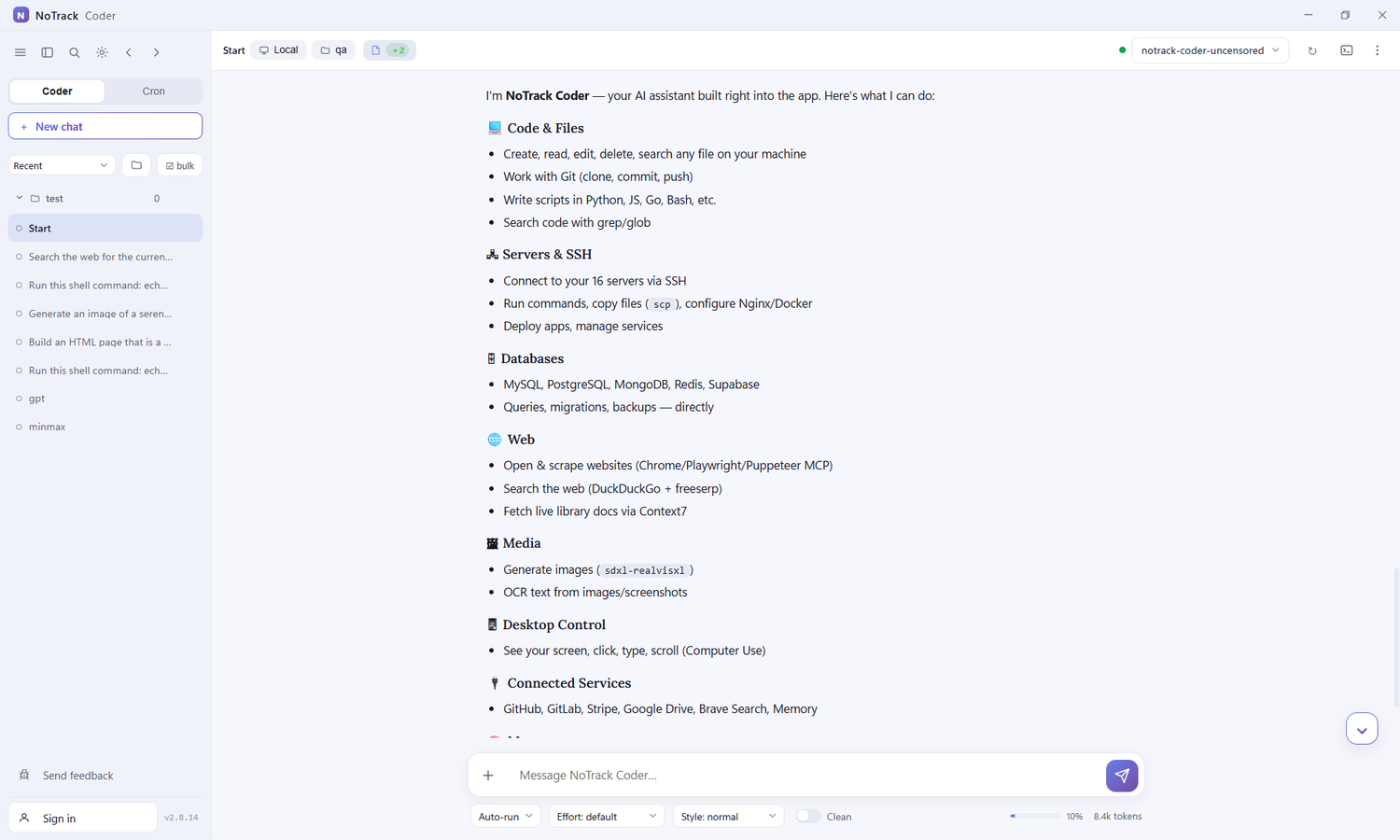
Everything runs locally: your chats, your working folders, and your API keys stay on your computer.
First run
- Open Settings (bottom-left of the sidebar).
- Go to Endpoints and connect a model — see Endpoints & models. Use Endpoints → Add to point at any OpenAI‑compatible or Anthropic API (paste the base URL and, if needed, an API key).
- Press Test on the endpoint. On success it also auto‑detects the model's context window and fills the field for you.
- Pick the model in the top‑right model selector and start typing.
The window at a glance
- Sidebar — your chats grouped by folder, plus Coder / Cron modes, search, and New chat.
- Top bar — the working‑folder breadcrumb (Local · folder), the files‑touched indicator, the model selector, and session options.
- Composer — the message box with + (attach files / folders / connectors), the approval mode, effort, response style, and the Clean toggle. Type
/for slash commands (e.g./cron,/compact,/model).
How a turn works
You send a message; the model streams its answer. When it needs to do something it emits a tool call (run a command, write a file, generate an image…). NoTrack Coder executes the tool, feeds the result back to the model, and the loop repeats until the model replies with no more tool calls. Tool runs appear as cards you can expand.
The top‑bar files indicator shows, live, what the agent touched this turn: + created, ✎ edited, 👁 read.
Working folder
Each chat has its own working folder — the directory the agent reads and writes in. Set it from the Local / Choose folder breadcrumb. New files the agent creates (HTML pages, scripts, generated images) land there, and it references them by relative path.
Next: Chat & composer.
