Connectors
Connectors plug outside tools and data into the agent — a browser, a database, a design app, a company system, and many more — so it can act in them directly instead of only talking about them. They use the open MCP standard, so a connector built for one MCP-capable app works here too.
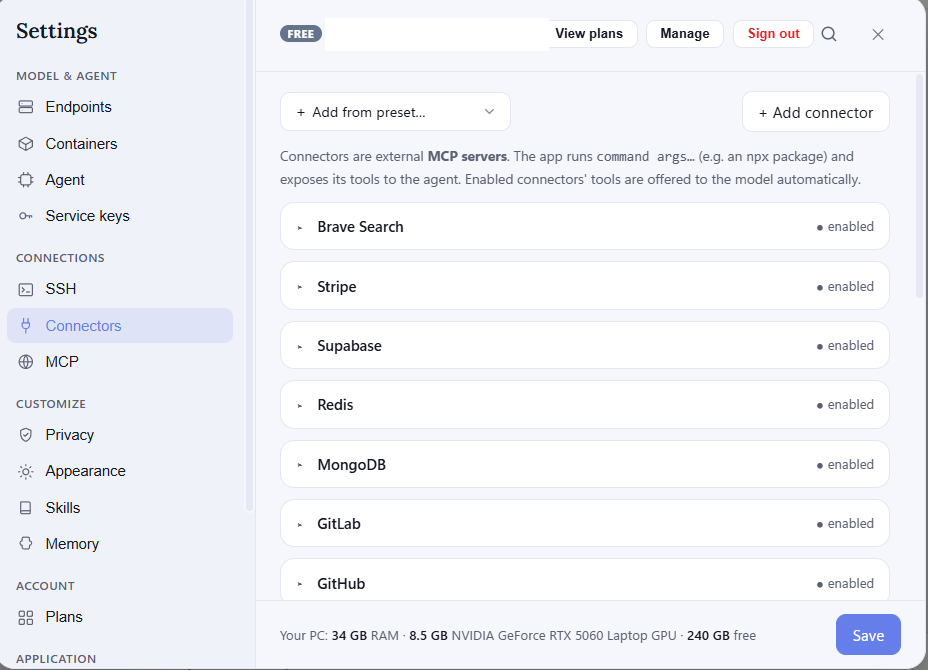
Adding a connector
Pick one from the preset list to add it ready-made, or add a blank one and give it a name and the command that launches it. Some connectors need a value or two (like an access token), entered in the same card.
Turning on, testing, removing
Each connector has an Enabled switch — only enabled connectors are offered to the agent. Test / list tools confirms it starts and shows the tools it provides, so you know it's wired up correctly. Delete removes it.
Once a connector is on, the agent discovers its tools on its own and uses them when a task calls for it — you don't have to name the tool yourself. For connectors hosted online rather than launched locally, see MCP.
